
Saturday, July 3, 2010
Netherlands won!
It was quite a shock to see Holland winning the match with Brazil after a 1-0 down, they came back with 2-1 score. I hoped for Holland to win and they did it! Yes!

Tuesday, June 29, 2010
What a lucky day!
I felt really lucky today..first, i went into a place very hard to enter in terms of high security and critical equipments - The Data Centre! Of coz we can't simply enter, an engineer created a request ticket for me and my colleague Melissa to enter data centre, reason was to troubleshoot library -this is damn funny..haha . We managed to enter with the engineer and insert about 10 LTO 2 tapes in the library, at a point i was shocked when the robotic arm in the library start moving..haha. Secondly, i really saw with my bare eyes 2 rainbows 1 on top another at the same time. That was really wonderful! I've never seen things like this in my life before..fuh! what a day!
Sunday, June 27, 2010
Ride customization, Family Day
Hi! guess i'm back from a long absence, have done lots of thing during the period, firstly, the thing i was craving for a long time was to upgrade my car, now its upgraded on a level -tires, rims, tie rods, center rod, ball joints - all these was giving problems for me and now my ride is just smooth and stable when i use it. Thank God. By the way, i'm just back from T-Systems Family Day celebration at Times Square KL. I enjoyed a lot where i'm able to communicate with a lot of high management people freely, most important thing was the free food + free theme park rides + free movie - whoa! first time having this kinda privileges..its damn good..really enjoyed today and thanks to the family day committee as well for maintaining that everything goes well..we did great!
Monday, April 5, 2010
New addiction @ new hobby
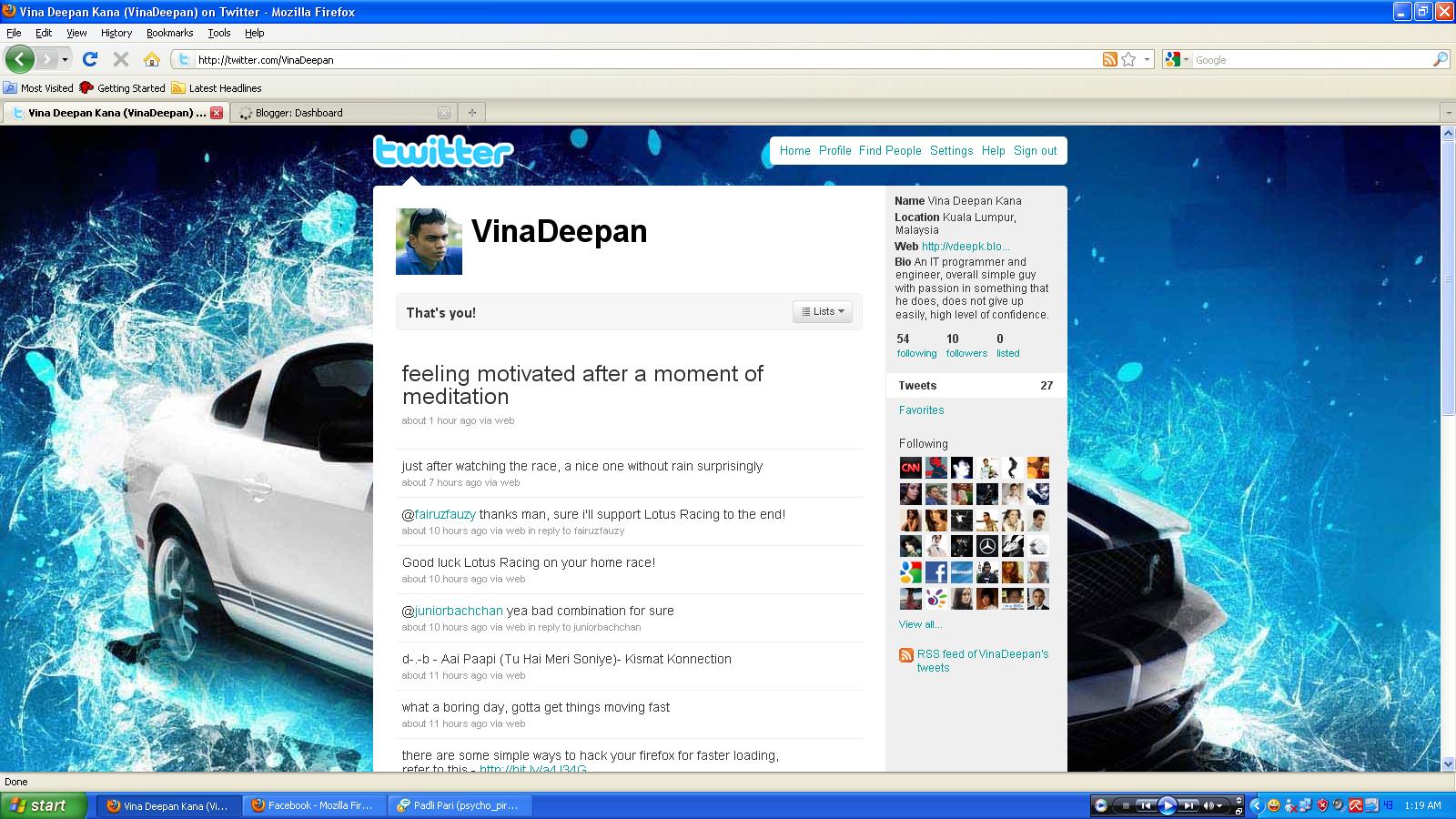
I recently got attached @ addicted to Twitter, I don't know how but it just happened straight away after i created the account. Apart from Facebook, i find this something unique as this site allows status updates only from users , its not full of your biodata and stuff such as Facebook. I like to tweet now and i'm tweeting almost everyday! Here's the screenshot of my page at Twitter!

Monday, March 8, 2010
Make your Firefox load faster
After this simple hacking to your Mozilla Firefox browser, you will be able to surf faster than before.
Type about:config in the address bar, Then look for the following entries, and make the corresponding changes.
You can use the filter bar to search for the corresponding values out of the many values that are displayed. How? just copy and paste the value to the filter bar and it will filter it for you the matching one. Eg. Copy and paste network.http.max-connections-per-server to the filter bar to get the exact value. After that just change the value to the give ones below.
network.http.max-connections-per-server =32
network.http.max-persistent-connections-per-proxy =16
network.http.max-connections = 64
network.http.max-persistent-connections-per-server = 10
network.http.pipelining = true
network.http.pipelining.maxrequests = 200
network.http.request.max-start-delay = 0
network.http.proxy.pipelining = true
network.http.proxy.version = 1.0
Last Step:
Right-click anywhere and select New- Integer. Name it nglayout.initialpaint.delay and set its value to 0. This value is the amount of time the browser waits before it acts on information it receives.
-Credit to http://hack2007.50webs.com
Type about:config in the address bar, Then look for the following entries, and make the corresponding changes.
You can use the filter bar to search for the corresponding values out of the many values that are displayed. How? just copy and paste the value to the filter bar and it will filter it for you the matching one. Eg. Copy and paste network.http.max-connections-per-server to the filter bar to get the exact value. After that just change the value to the give ones below.
network.http.max-connections-per-server =32
network.http.max-persistent-connections-per-proxy =16
network.http.max-connections = 64
network.http.max-persistent-connections-per-server = 10
network.http.pipelining = true
network.http.pipelining.maxrequests = 200
network.http.request.max-start-delay = 0
network.http.proxy.pipelining = true
network.http.proxy.version = 1.0
Last Step:
Right-click anywhere and select New- Integer. Name it nglayout.initialpaint.delay and set its value to 0. This value is the amount of time the browser waits before it acts on information it receives.
-Credit to http://hack2007.50webs.com
Subscribe to:
Posts (Atom)