
Monday, April 5, 2010
New addiction @ new hobby
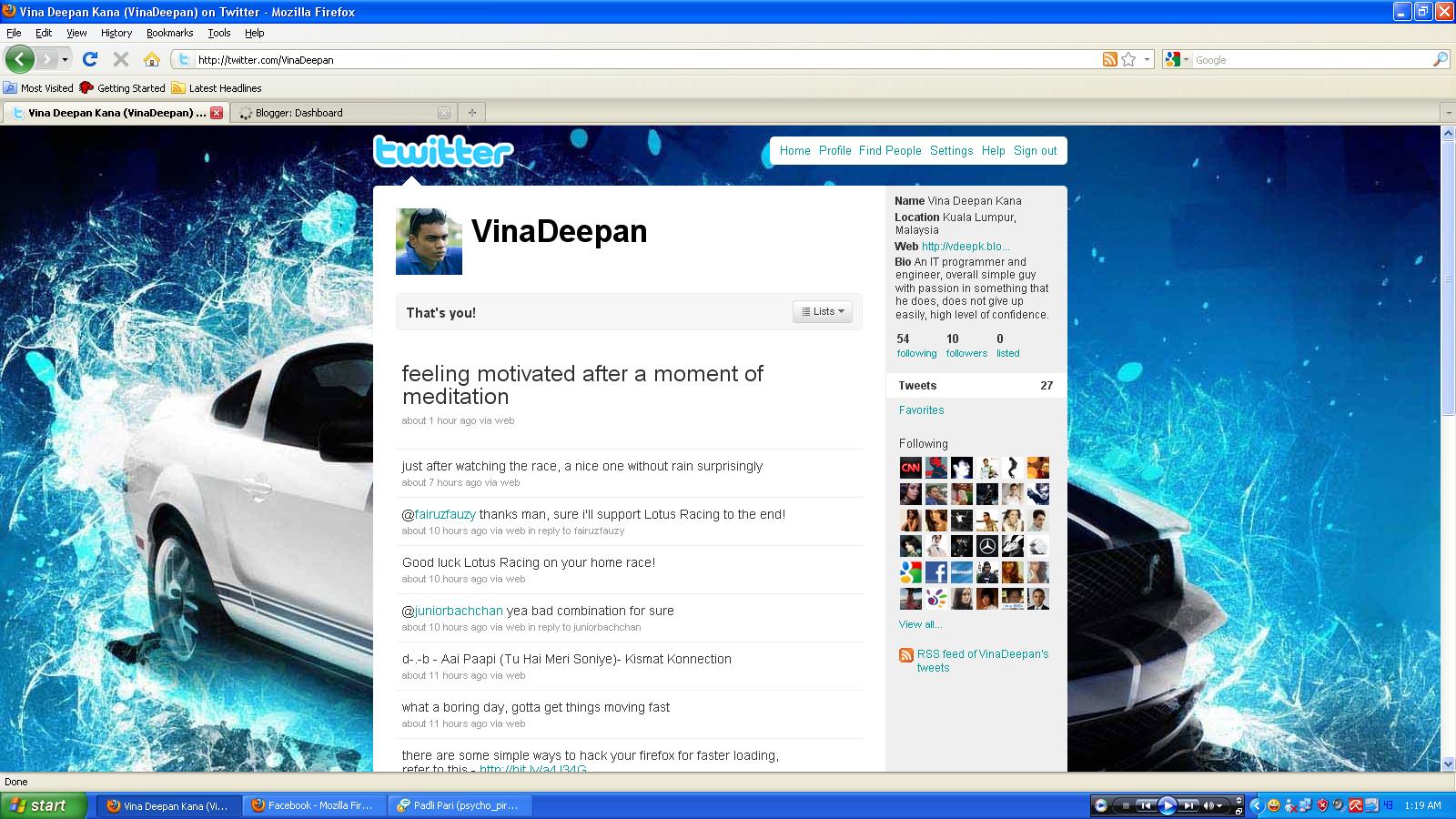
I recently got attached @ addicted to Twitter, I don't know how but it just happened straight away after i created the account. Apart from Facebook, i find this something unique as this site allows status updates only from users , its not full of your biodata and stuff such as Facebook. I like to tweet now and i'm tweeting almost everyday! Here's the screenshot of my page at Twitter!


Monday, March 8, 2010
Make your Firefox load faster
After this simple hacking to your Mozilla Firefox browser, you will be able to surf faster than before.
Type about:config in the address bar, Then look for the following entries, and make the corresponding changes.
You can use the filter bar to search for the corresponding values out of the many values that are displayed. How? just copy and paste the value to the filter bar and it will filter it for you the matching one. Eg. Copy and paste network.http.max-connections-per-server to the filter bar to get the exact value. After that just change the value to the give ones below.
network.http.max-connections-per-server =32
network.http.max-persistent-connections-per-proxy =16
network.http.max-connections = 64
network.http.max-persistent-connections-per-server = 10
network.http.pipelining = true
network.http.pipelining.maxrequests = 200
network.http.request.max-start-delay = 0
network.http.proxy.pipelining = true
network.http.proxy.version = 1.0
Last Step:
Right-click anywhere and select New- Integer. Name it nglayout.initialpaint.delay and set its value to 0. This value is the amount of time the browser waits before it acts on information it receives.
-Credit to http://hack2007.50webs.com
Type about:config in the address bar, Then look for the following entries, and make the corresponding changes.
You can use the filter bar to search for the corresponding values out of the many values that are displayed. How? just copy and paste the value to the filter bar and it will filter it for you the matching one. Eg. Copy and paste network.http.max-connections-per-server to the filter bar to get the exact value. After that just change the value to the give ones below.
network.http.max-connections-per-server =32
network.http.max-persistent-connections-per-proxy =16
network.http.max-connections = 64
network.http.max-persistent-connections-per-server = 10
network.http.pipelining = true
network.http.pipelining.maxrequests = 200
network.http.request.max-start-delay = 0
network.http.proxy.pipelining = true
network.http.proxy.version = 1.0
Last Step:
Right-click anywhere and select New- Integer. Name it nglayout.initialpaint.delay and set its value to 0. This value is the amount of time the browser waits before it acts on information it receives.
-Credit to http://hack2007.50webs.com
Friday, February 26, 2010
Increase your internet speed up by 20%
Microsoft Windows reserves 20% of your available bandwidth for their own purposes like Windows Updates and interrogating your PC
Its not permanent as you can override or change it:
Click Start then Run and type "gpedit.msc" without quotes. This opens the group policy editor.
Then double click and navigate through :
-> Local Computer Policy -> Computer Configuration -> Administrative Templates -> Network -> QOS Packet Scheduler -> Limit Reservable Bandwidth.
Double click on Limit Reservable bandwidth.
If you go to the "explain" tab, you can know more about how this reservable bandwidth functions.
For the faster internet speed, simply ENABLE reservable bandwidth, then set it to ZERO. This will allow the system to reserve nothing, so you will get the extra 20% bandwidth.
I have tried it and it shows some greater speed in internet surfing.
-Credit to hack2007.50webs.com
Its not permanent as you can override or change it:
Click Start then Run and type "gpedit.msc" without quotes. This opens the group policy editor.
Then double click and navigate through :
-> Local Computer Policy -> Computer Configuration -> Administrative Templates -> Network -> QOS Packet Scheduler -> Limit Reservable Bandwidth.
Double click on Limit Reservable bandwidth.
If you go to the "explain" tab, you can know more about how this reservable bandwidth functions.
For the faster internet speed, simply ENABLE reservable bandwidth, then set it to ZERO. This will allow the system to reserve nothing, so you will get the extra 20% bandwidth.
I have tried it and it shows some greater speed in internet surfing.
-Credit to hack2007.50webs.com
Saturday, January 30, 2010
Thaipusam 2010


Subscribe to:
Posts (Atom)